
How to Scan Source Station QR Code (RailOne Guide) | MyStationQR
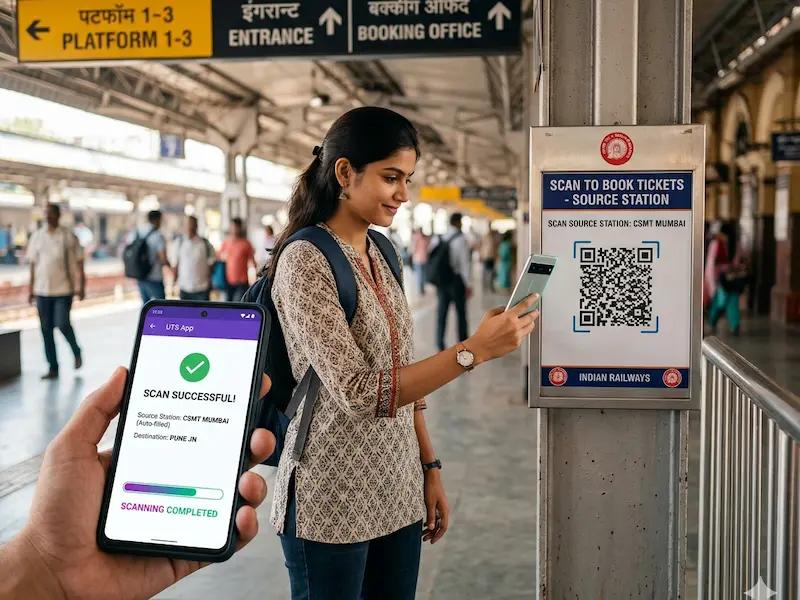
How to Scan Source Station QR Code (RailOne Guide)
If you’ve ever stood in a long railway ticket queue, you know how frustrating it can be. Luckily, scanning a source station QR code is one of the quickest ways to book unreserved train tickets in India.
With platforms like MyStationQR, you don’t even have to hunt for QR boards at the station - you can find them online in seconds.
Let’s walk through how it works
What is a Source Station QR Code?
A source station QR code is a smart shortcut provided by Indian Railways.
When you scan it using the UTS or RailOne app:
- Your boarding station gets filled automatically
- No need to type or search station names
- Booking becomes faster and hassle-free
In short, it removes the annoying part of ticket booking.
Steps to Scan Source Station QR Code
Follow these simple steps:
1. Download & Open the RailOne App
First things first - install the official railway ticketing app and log in.
2. Go to “QR Booking”
- Open the app
- Tap on “QR Booking”
- Choose “Journey Ticket by QR”
3. Find Your Station QR Code on MyStationQR
- Visit MyStationQR
- Search for your station (like Lucknow, Delhi, Mumbai)
- Open the station page to see the QR code
👉 The platform covers 7,300+ stations across India, so chances are your station is already there.
4. Scan the QR Code
- Use your phone camera inside the app
- Scan the QR code from:
- A station board, OR
- Your screen (via MyStationQR)
Once scanned, your source station is selected automatically - no typing needed.
5. Enter Journey Details
Now just fill in:
- Destination station
- Number of passengers
- Ticket type (single or return)
6. Make Payment
Pay however you prefer:
- UPI
- Debit/Credit Card
- Railway Wallet
7. Get Your Digital Ticket
That’s it - your ticket is generated instantly.
Just show it on your phone during checking. No printout needed.
Important Things to Know
- You must be physically at the station (GPS enabled) to book tickets
- QR codes are usually placed at:
- Station entrances
- Ticket counters
- Platforms
- You can also scan a QR code from another device (like a laptop or a friend’s phone)
Pro Tips for Smooth Scanning
A few small things can make a big difference:
- Increase your screen brightness
- Hold your phone steady
- Make sure your internet is working well
- Clean your camera lens
- Try scanning from a slight angle if it’s not working
Why Use MyStationQR?
Honestly, the biggest win here is saving time.
With MyStationQR, you don’t have to walk around looking for QR boards.
- Find QR codes instantly
- Covers 7,300+ stations
- Skip queues completely
- Works smoothly on mobile
Final Thoughts
Scanning a source station QR code is easily one of the simplest ways to book train tickets today.
No queues, no typing, no stress - just scan, pay, and go.
If you travel often, this is one small trick that can save you a lot of time.